Pseudo Selectors - 101
A beginner's guide to the know-how in the world of selectors.
Imagine yourself going through a long list of students in a school. We have set different sections to assign and sort students based on their let's say preferred choice of sports. However it's still massive data, how do you find a particular student among the mix? Simple - Design a selection criteria to target the particular parameter based on certain parameters. This might not be an accurate analogy but is close enough to get you a hang of the topic in hand to be discussed, 'pseudo-selectors.'
Pseudo selectors are the tools that let you design or format certain elements in a webpage based upon the conditions listed in selector criteria. Take the instance of a website such as Media Distribution ESPN. A fairly looking website at the very first glance and very well designed. However, notice when you hover over their sports category section. Notice the change in the animation and the shift in the background image of the individual compartment changing based on the respective sports they target.

All this is the work of pseudo selectors.
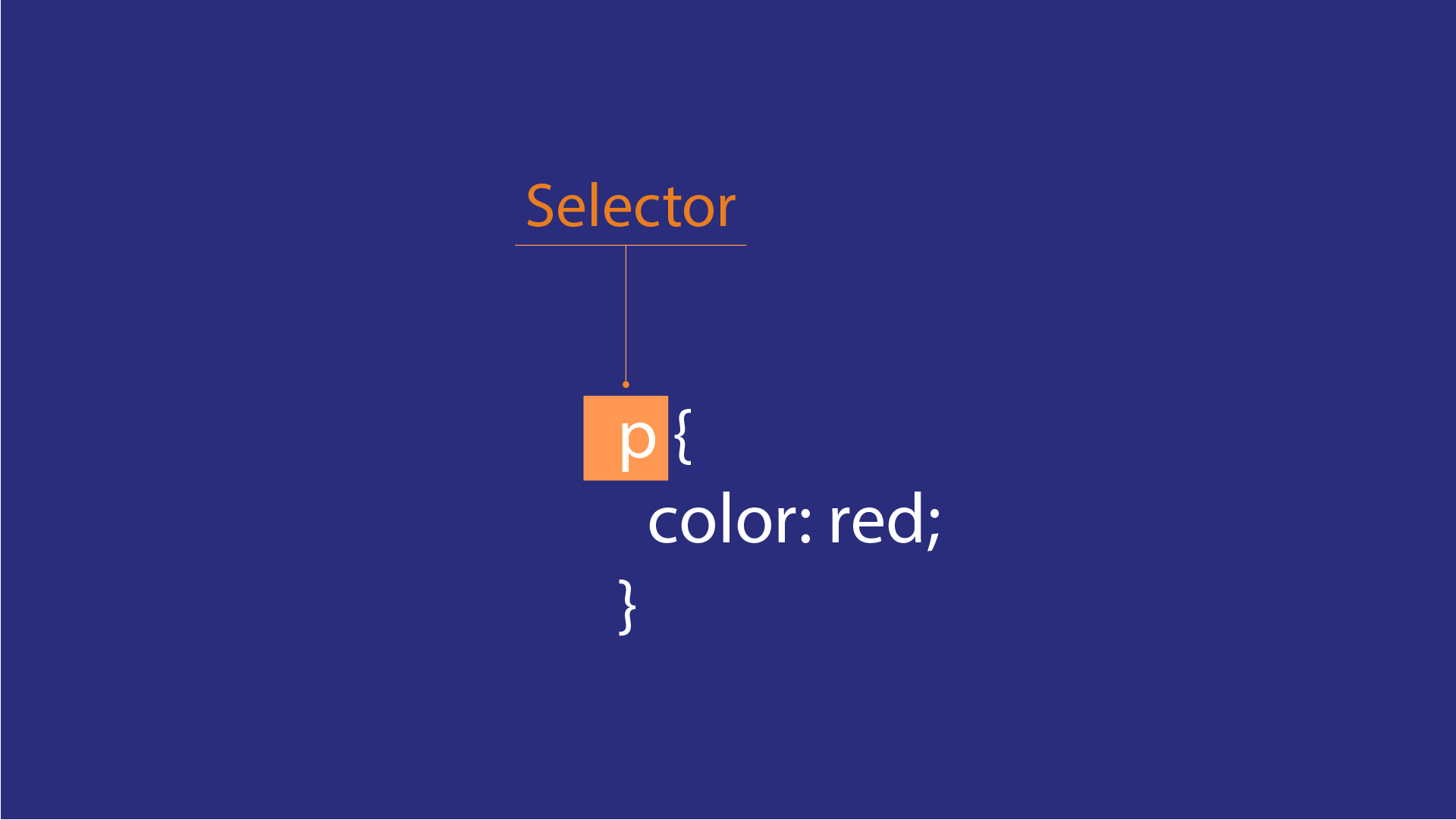
Selectors are one of the pertinent elements of a CSS sheet. It helps you to target a section and implement style changes targeting that particular section.
For example; in the code snippet given

It can be easily understood that it is a button tag. In order to design it, we select the button tag using its respective class name.
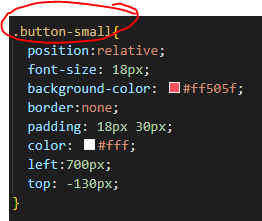
But what if you want to make it highlight or change the background colour when it's hovered over? In comes PSEUDO SELECTOR. Pseudo as the meaning suggests something that is not genuine or real. Pseudo selectors or pseudo-classes are in fact elements that uphold that value. They are special criteria assigned to selectors and only come in whenever the pseudo conditions are applicable.
Syntax: selector:pseudo selector { /styling elements/}
Thus for the given case, to make it turn dark red when hovered over, we use the following pseudo selector.
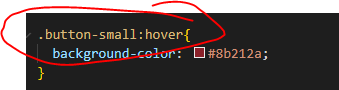
Which makes it turn from this:
 -> to this:

Here is the list of certain pseudo selectors followed by their condition requirements. (Considered for tag, with class name btn1)
- ".btn:hover" { /styling elements/ } - Allows to style when the button is hovered over
- ".btn:active" { /styling elements/ } - Allows you to style the button when active (clicked)
- ".btn:visited" { /styling elements/ } - Allows you to style the button for times when it has
been clicked on at least once
Refer to the SANDBOX link for the snippet code reference.